
An AS9102 First Article Inspection Report is three linked forms: Form 1 accounts for the part, Form 2 accounts for its materials and processes, and Form 3 accounts for every drawing characteristic. Most rejections happen because the three forms disagree with each other, not because any single field was wrong. See Top Five Reasons for an FAI Rejection for the patterns reviewers catch most often.
What are AS9102 Forms 1, 2, and 3?
| Form | Official name | What it proves |
|---|---|---|
| Form 1 | Part Number Accountability | Which part, which revision, why an FAI was triggered, and who signed off |
| Form 2 | Product Accountability – Materials, Special Processes, and Functional Testing | That every material, special process, and functional test meets spec, with certs to back it |
| Form 3 | Characteristic Accountability, Verification and Compatibility Evaluation | That every ballooned drawing characteristic was measured and passed |
How do you fill out Form 1?
This form is used to identify the product that is having the First Article Inspection (FAI) conducted on (for example, a detail part, sub-assembly, or assembly), referred to as the FAI part.
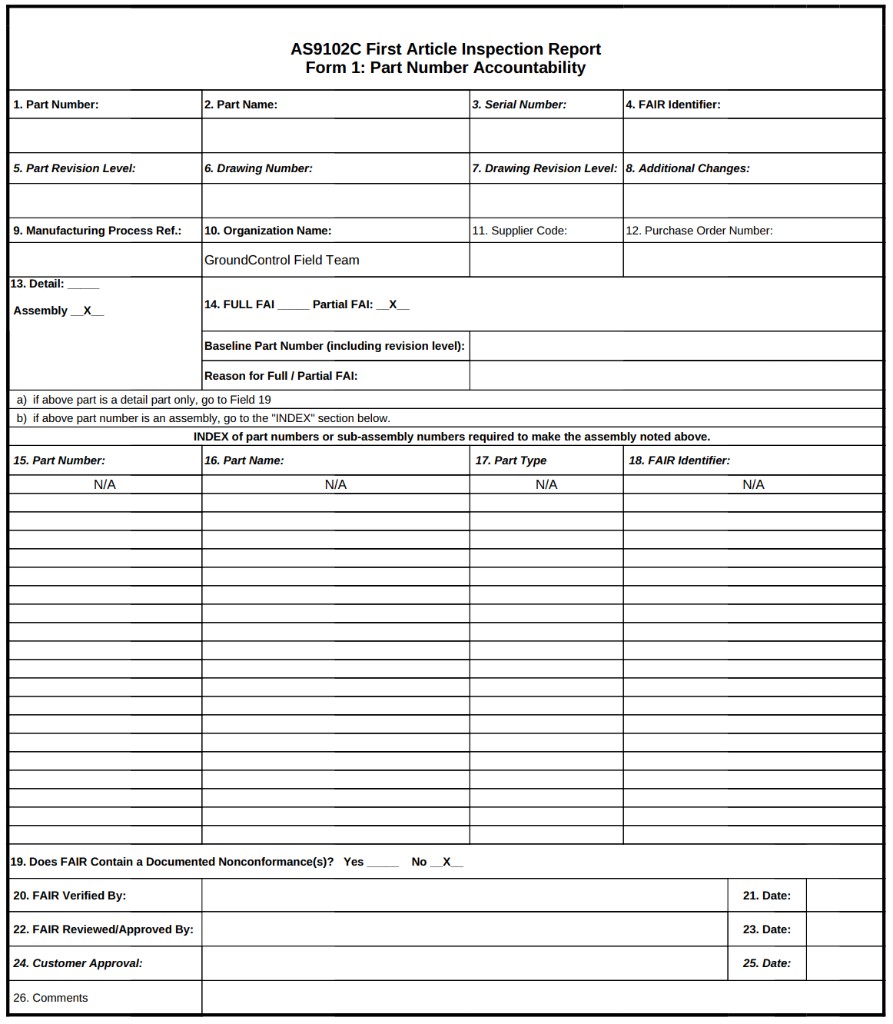
- Part number, part name, and drawing revision: copy these exactly from the title block, including the revision letter.
- FAIR Identifier: your unique ID for this report. Use the same string on all three forms and on every piece of objective evidence.
- Reason for Full / Partial FAI: under Rev C this is required on every FAIR, not just partials. Be specific: "first production run," "design change to Rev D," "two-year lapse in production," "change of manufacturing location."
- Part Type and BOM detail: for an assembly FAIR, list all BOM parts and reference each sub-component's own FAIR.
- Nonconformance declaration: state plainly whether the FAIR contains a documented nonconformance.
- Reviewed by / Approved by: Rev C expects these to be two different people. Ensure your workflow actually enforces it.
How do you fill out Form 2?
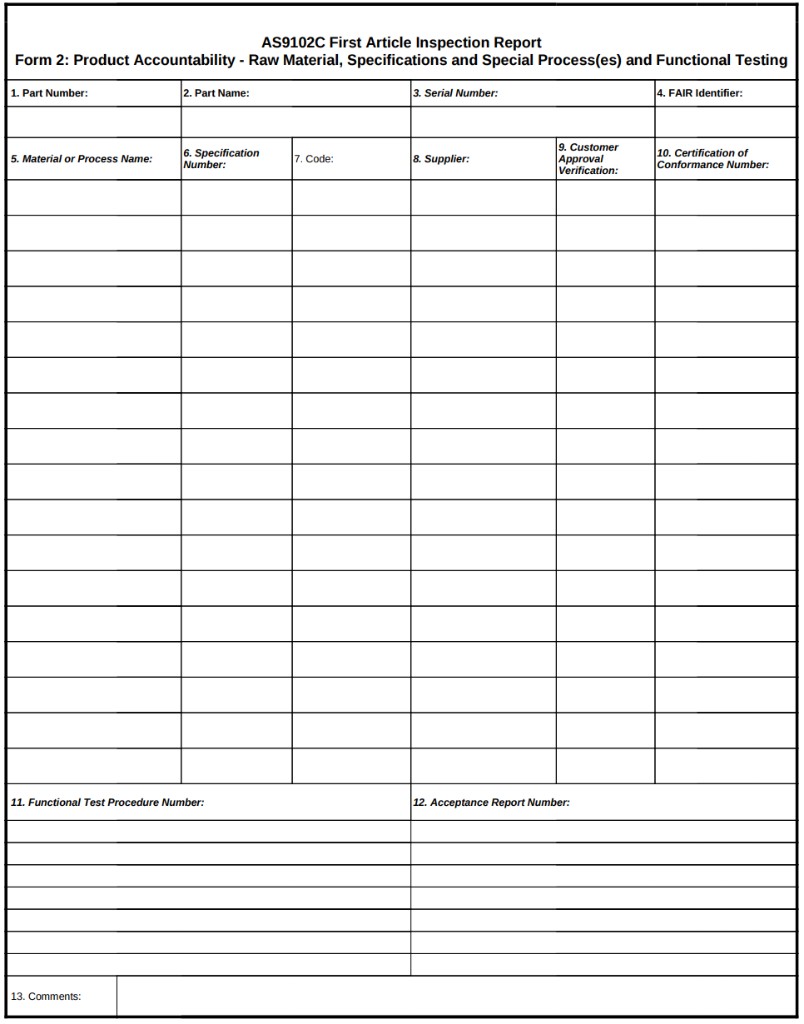
This form is used if any materials, special processes, or functional testing are defined as a design characteristic.
For every material, special process, and functional test called out on the drawing or in the spec tree, record one row: the material or process name, the specification number and revision, the supplier and their approval code, and the certificate number that backs it.
Three things reviewers check first:
- Spec revisions match the drawing. A cert to AMS 2700 Rev E against a drawing calling Rev F is a finding.
- Special process suppliers are customer-approved. Nadcap accreditation alone is not the same as your customer's approved-source list.
- Every row has a traceable cert number. "On file" is not a cert number.
How do you fill out Form 3?
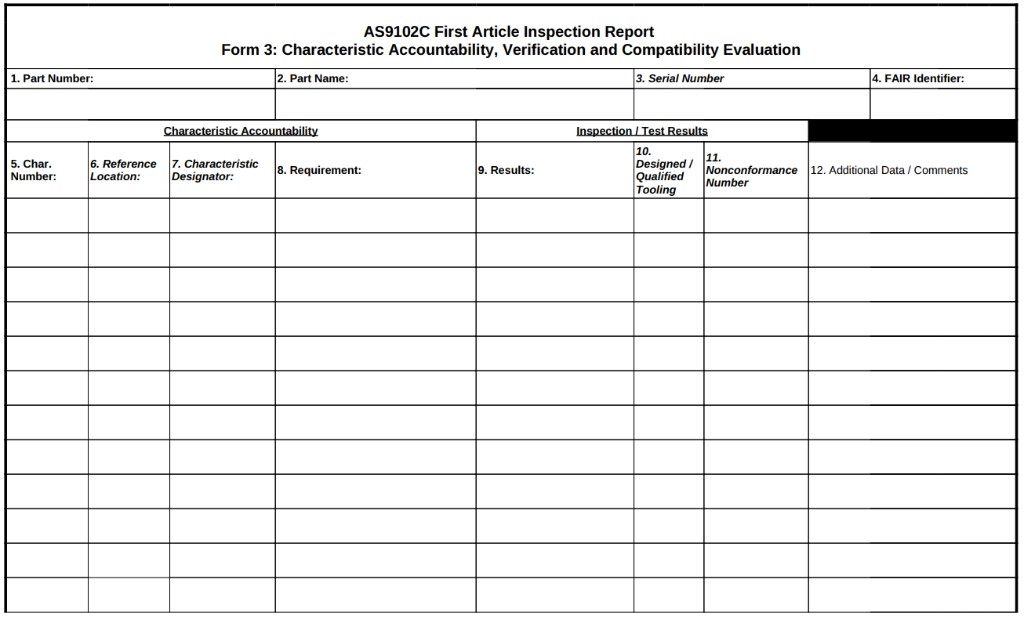
This form is used to record inspection results for the design characteristics and to document any applicable nonconformances (reference section 4.5).
- Balloon the drawing first. Every dimension, tolerance, note, GD&T feature control frame, and flag note gets a unique balloon.
- One balloon = one characteristic number = one row.
- Reference Location: record the drawing zone or sheet so a reviewer can find the requirement in seconds.
- Characteristic Designator: flag key and critical characteristics here. Missing a flagged characteristic is a hard rejection.
- Requirement: transcribe the nominal and tolerance exactly as drawn, including basic dimensions and units.
- Results: record actual measured values, not "OK" or "pass." Variable data where variable data exists.
- Designed Tooling and Nonconformance Number: populate where applicable rather than leaving them blank without reason.
Then reconcile: your highest characteristic number should equal your balloon count. If they differ, something was missed.
Ready to simplify your AS9102 workflow?
GroundControl automates ballooning, Form 1–3 assembly, and tolerance validation so your team produces audit-ready FAIRs faster, with fewer rejections. Explore First Article Inspection software or book a demo to see how it fits your workflow.